Business Cards
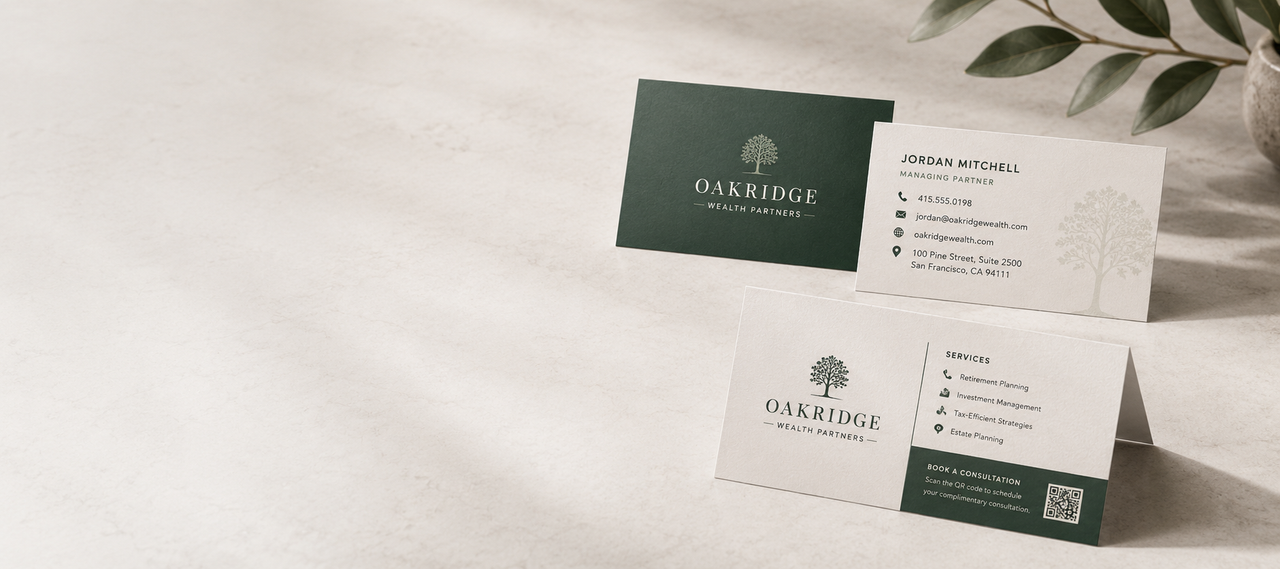
Make every introduction count with professionally printed business cards customized with your logo, contact information, brand colors, and artwork. Choose full-color printing or precise PMS spot colors, select your paper, and print on one or both sides.



Standard or Folded Business Cards?
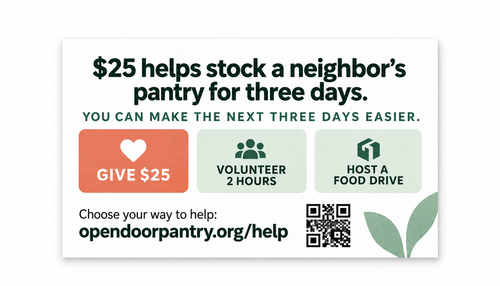
Choose a standard business card for everyday networking and professional contact information, or choose a folded business card when you need extra space for services, appointments, hours, menus, QR codes, or other details.
| Business Card Option | Best For | Key Advantage | Shop |
|---|---|---|---|
| Standard Custom Business Cards | Networking, sales, professional contact information, company branding, events, and everyday business use | Flexible black, 1-color, 2-color, or full-color printing in a standard 3.5 x 2 format | View Standard Cards → |
| Folded Business Cards | Appointments, services, business hours, mini menus, pricing, loyalty information, QR codes, and information-heavy designs | Additional interior panels provide more room while keeping the finished piece compact | View Folded Cards → |
What Size Is a Standard Business Card?
A standard U.S. business card measures 3.5" x 2". This familiar format fits naturally into wallets, card holders, folders, and other everyday business materials.
The standard size gives you enough room for your most important contact and branding information while keeping the finished card compact and easy to carry.
- 3.5" x 2" finished size
- Horizontal or vertical orientation
- Fits standard business card holders
- Works for simple or detailed layouts
Finished Card Size
3.5" × 2"
Orientation changes how the design is arranged, not the final dimensions of the card.
Horizontal vs. Vertical Business Cards
Both orientations use the same 3.5 x 2 finished dimensions. The right choice depends on your branding and how you want the information arranged.
Horizontal Business Cards
The traditional landscape orientation provides plenty of horizontal room for contact information and longer business names.
- Traditional corporate layouts
- Long company names
- Email addresses and websites
- Multiple contact details
Vertical Business Cards
Portrait orientation creates a distinctive presentation that works well with stacked logos and clean, modern layouts.
- Stacked logos
- Minimal branding
- Short contact information
- Modern visual layouts
One-Sided or Double-Sided Business Cards?
One-Sided Business Cards
A straightforward option when all essential information fits comfortably on the front of the card.
- Logo
- Name
- Job title
- Phone number
- Website
Double-Sided Business Cards
Use the back of the card to add useful information without overcrowding the primary contact side.
- QR codes
- Taglines
- Services
- Social profiles
- Appointment details
- Additional branding
Business Card Paper & Finish Options
The paper you select changes the way your business card feels, reflects light, and presents your artwork.
Standard Cardstock
A reliable professional choice for everyday networking, sales teams, events, and general business use.
Premium Cardstock
A more substantial option when paper feel and a higher-end presentation are important to your brand.
Glossy Options
A smoother, shinier surface that can work especially well with bright colors, photography, graphics, and visual branding.
Full-Color vs. PMS Business Card Printing
Full-Color Business Cards
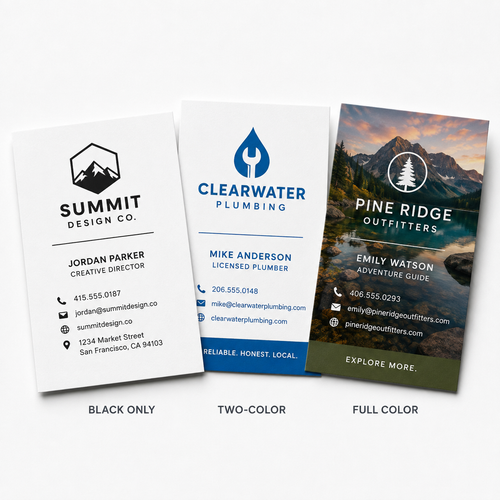
Full-color printing is designed to reproduce artwork that contains several colors, images, gradients, and detailed visual elements.
- Photography
- Full-color logos
- Gradients
- Illustrations
- Multi-color designs
- Full-bleed backgrounds
PMS Spot-Color Business Cards
Spot-color printing uses designated ink colors rather than reproducing every part of the design through a full-color process. It works especially well for simple branding that relies on one or two specific colors.
- Corporate logos
- Brand-specific colors
- One- or two-color designs
- Typography-focused layouts
- Traditional professional cards
What Should You Put on a Business Card?
A good business card gives someone enough information to recognize who you are, understand your role, and contact you later without making the design feel crowded.
- Your name
- Job title
- Company or organization name
- Logo
- Phone number
- Email address
- Website
- Relevant social profile
- QR code when useful
Keep It Focused
You do not need to use every possible field. Prioritize the information someone actually needs to remember your business and take the next step.
What Are Custom Business Cards?
Custom business cards are small printed cards personalized with a person or organization's branding and contact information.
Standard U.S. business cards typically measure 3.5 x 2 inches and may be printed on one or both sides with a logo, name, job title, phone number, email address, website, QR code, and other brand information.
Business cards are commonly exchanged during meetings, networking events, sales calls, conferences, appointments, and other professional interactions where someone needs a quick physical reminder of who you are and how to reach you.
Who Uses Custom Business Cards?
Small Businesses
Give customers a simple way to remember your company and contact you when they need your products or services.
Sales Professionals
Leave contact information after meetings, presentations, prospecting, and customer visits.
Real Estate
Share agent branding, phone numbers, email addresses, websites, and property-search information.
Professional Services
Create brand-consistent cards for advisors, attorneys, accountants, consultants, and other professionals.
Healthcare
Create contact cards for providers, practices, referral contacts, offices, and appointment information.
Home Services
Make it easy for customers to save contact details for contractors, installers, technicians, and service teams.
Nonprofits & Churches
Share staff, ministry, program, volunteer, or organizational contact information.
Events & Networking
Keep cards ready for trade shows, conferences, networking events, and professional meetings.
Pair Your Business Cards with Matching Print
Carry the same branding across your business cards, presentations, brochures, and customer communications.
Presentation Folders
Place your card directly into an optional business-card slit alongside proposals, brochures, or sales materials.
Shop Presentation Folders →Custom Brochures
Add detailed information about your organization, products, services, programs, or marketing message.
Shop Brochures →Letterhead
Coordinate your cards with branded proposals, correspondence, estimates, and professional documents.
Shop Letterhead →Custom Envelopes
Extend the same visual identity to invoices, correspondence, mailings, and customer communications.
Shop Custom Envelopes →Preparing Your Business Card Artwork
Start with the correct business card template and keep critical information safely inside the finished trim area.
Artwork Checklist
- Finished size: 3.5" x 2"
- Use the correct business card template
- Submit print-ready artwork
- Use CMYK for full-color printing
- Use approximately 300 DPI images
- Include bleed for edge-to-edge artwork
- Keep important text inside the safe area
- Embed or outline fonts
Printing Both Sides?
Supply clearly identified front and back artwork and confirm that both sides use the correct orientation.
Using Spot Colors?
Clearly identify your requested PMS color or colors when ordering spot-color business cards so the correct inks can be used for your design.
Custom Business Card FAQs
What is the standard business card size?
A standard U.S. business card measures 3.5 x 2 inches. It can be designed horizontally or vertically.
What information should I put on a business card?
Common information includes your name, job title, company name, logo, phone number, email address, website, and other relevant contact details. A QR code can also be added when useful.
Should my business card be horizontal or vertical?
Either orientation can work. Horizontal cards provide more room across the page for traditional contact layouts, while vertical cards can create a more distinctive, stacked design.
Can business cards be printed on both sides?
Yes. Printing on both sides provides additional room for branding, QR codes, services, social profiles, taglines, or other supporting information.
What is full-color business card printing?
Full-color printing is designed for artwork containing many colors, photography, gradients, illustrations, and detailed graphics.
What is spot-color business card printing?
Spot-color printing uses designated ink colors and is especially useful for simple designs built around one or two specific brand colors.
What is a PMS color?
PMS refers to the Pantone Matching System, a standardized color system used to identify specific ink colors for more consistent color matching.
What is the difference between full color and spot color?
Full-color printing is better suited to artwork with many colors, photography, or gradients. Spot-color printing is useful when a design relies on one or two designated ink colors, such as specific corporate brand colors.
What paper should I choose for my business cards?
The best choice depends on the look and feel you want. Standard cardstock works well for everyday business use, premium stocks create a more substantial feel, and glossy options can add additional shine to colorful designs.
Can my design print all the way to the edge?
Edge-to-edge or full-bleed designs are available with appropriate product and artwork setup. Extend artwork into the required bleed area and keep important content inside the safe zone.
Can I add a QR code to my business card?
Yes. QR codes can be included as part of your custom artwork and can direct recipients to a website, portfolio, contact page, booking page, or other online destination.
What file should I upload for business card printing?
Submit print-ready artwork created with the correct business card template. Use high-resolution graphics, include required bleed, and keep important text and logos safely inside the trim area.
Make Your Next Introduction Count
Choose full-color or spot-color printing, add your logo and contact information, and create custom business cards built around your brand.